Trucks crossing the city twice
Stops ordered by habit zig-zag across town. Every extra kilometre is fuel, time and wear on the truck.
Route optimizer
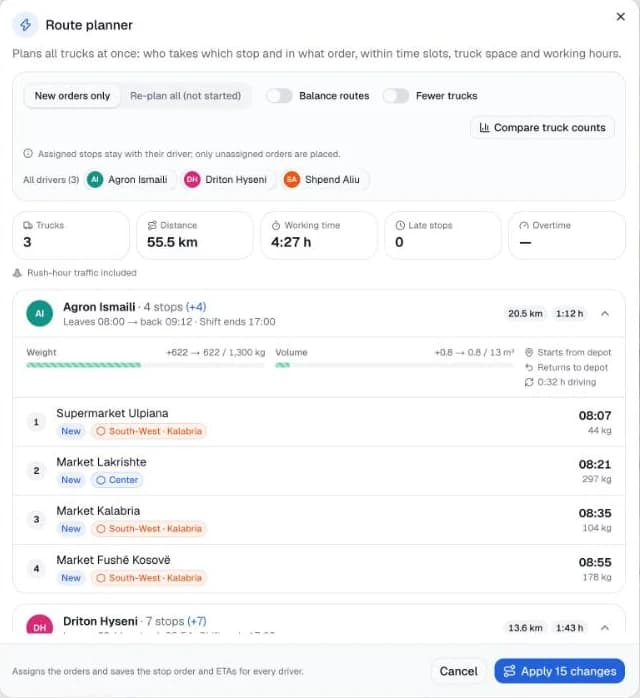
Short lines on a map are easy. BeeRoutes plans with your real roads, your rush hours, your customers' opening hours and what fits in each truck — so the plan you make in the morning is the day your drivers actually drive.
Why plans fail
Stops ordered by habit zig-zag across town. Every extra kilometre is fuel, time and wear on the truck.
A plan that ignores rush hour and unloading looks fine at 8:00 — and is an hour late by 14:00.
Without comparing options, you send three trucks out when two could do the same day.
1Shorter
We test the optimizer on the Solomon benchmark: 56 well-known delivery problems with time windows that researchers use to compare routing algorithms. With 5 seconds per problem, BeeRoutes finds a valid plan for every one of them, matches the best-known solution on 18, and stays on average within about 1 % of the shortest distances ever published.
Solomon VRPTW benchmark, 5 seconds per problem.
2Realistic
Distance isn't time. BeeRoutes plans with real road travel times, then measures your rush hours on trips between your own customers — hour by hour, for weekdays and weekends — and adds each customer's unloading time and receiving hours.
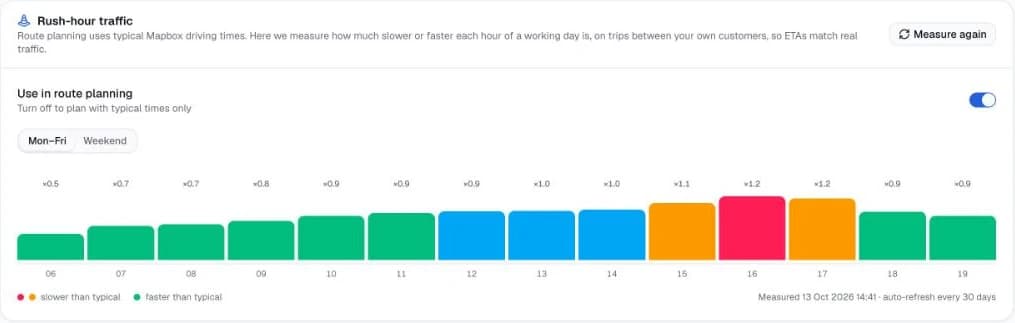
Why it matters: if each of 25 stops is planned just 5 minutes too optimistic, the driver is 2 hours behind by the last stop — and your last customers get the excuses.
3Leaner
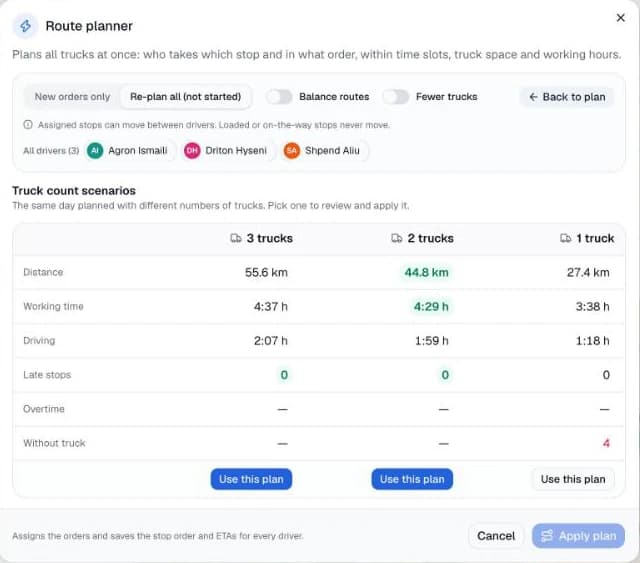
Plan the same day with 3, 2 and 1 trucks side by side — distance, working time, late stops and orders left over — and decide with numbers instead of habit.
In this demo the same 15 stops need 2 trucks instead of 3: 44.8 km instead of 55.6 km, still with zero late stops.
4Adaptive
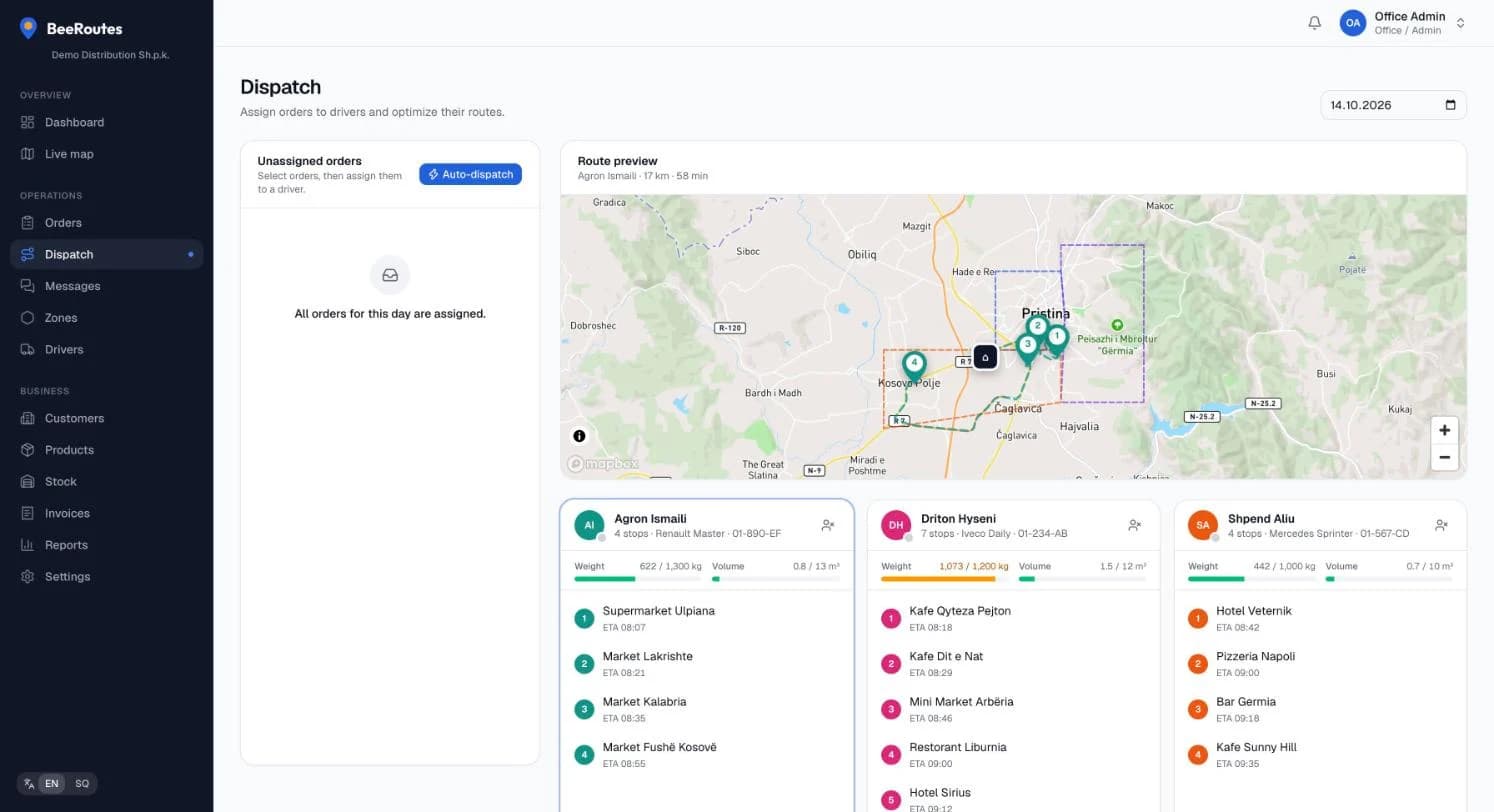
A driver calls in sick, a customer needs an urgent delivery, a truck falls behind. Mark it and re-plan. Stops that are already loaded or on the way never move — only the rest of the day is re-arranged.
Your rules
Set them once. The optimizer respects all of them, every time.
Delivery time slots
Morning, afternoon or any slot you offer.
Receiving hours
Trucks leave later instead of waiting at a closed door.
Weight & volume
Checked along the route — returns and pickups come on board.
Shifts & lunch breaks
Company defaults, with overrides per driver.
Max stops & driving time
Keep every route doable for the driver.
Vehicle features
Fridge, lift or any feature an order needs.
Priority orders
Urgent customers are served first.
Zones & home depots
Each zone's usual driver, each driver's own depot.
Unloading time
Minutes per customer, so ETAs stay honest.
Back to the depot
Every route ends where the truck parks.
From plan to doorstep
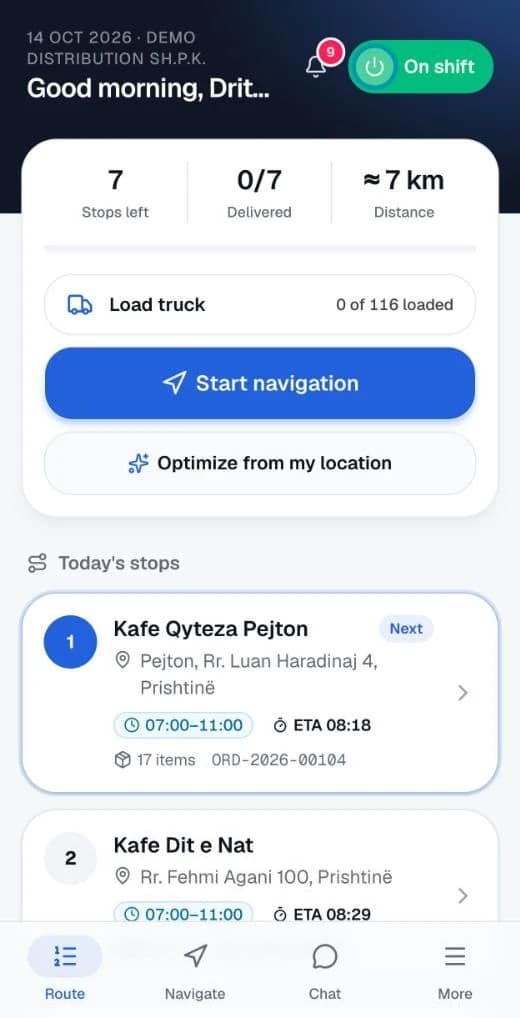
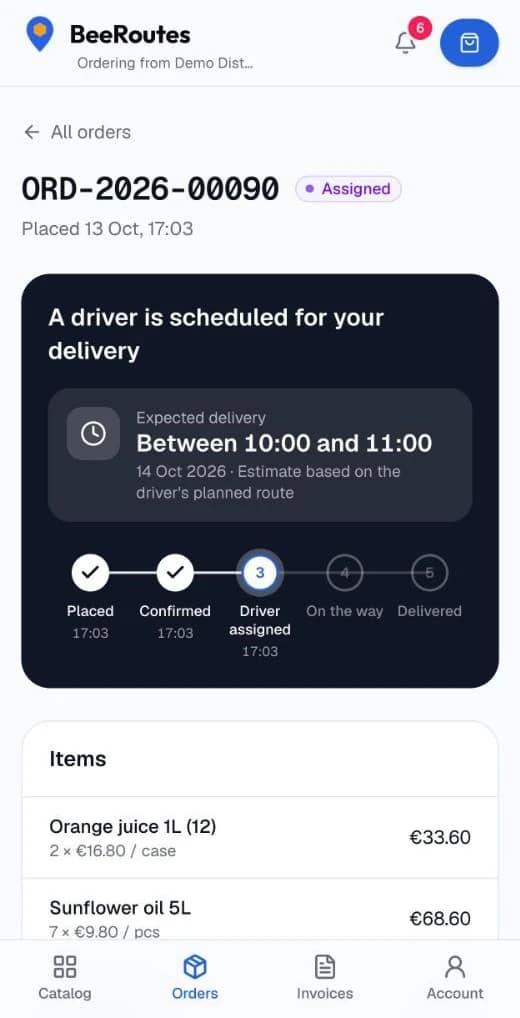
Drivers get their stops in order with navigation and proof of delivery. Customers get a one-hour delivery window calculated from the very same plan.
Days with 100 or more stops are planned in one go. On big days travel times are fetched for neighbouring stops and estimated for far-apart ones, so planning stays fast.
Yes. Assign or move orders between drivers yourself, then optimize just that truck. When you plan new orders only, stops you already assigned stay with their driver.
Planning uses typical road times plus the rush-hour pattern measured for your own area. While driving, navigation uses live traffic and re-routes when the driver leaves the route.
No. Pick the place on the map when you add a customer; the optimizer uses it from then on.
The planner shows which orders are left over, so you can add a truck, extend a shift or move a delivery to another day.
Start your free 14-day trial and plan your first day in an afternoon.